 Instify
How to Run Claude Code on a Real Project (Without Babysitting It)
Claude Code is great in a demo. Then you point it at your actual codebase — the one with history, conventions, and things that break — and the wheels can wobble: it changes the wrong file, forgets a decision from ten minutes ago, or writes code that ignores how your project already works.
The model isn’t the problem. The setup is. Here’s a workflow that makes Claude Code reliable on real projects, plus how we automate it.
1. Scope the work like a story, not a wish
The single biggest predictor of a good run is a well-scoped task.
- ✅ “Add a status filter to the invoices dashboard; persist the selection in the URL.”
- ❌ “Improve the dashboard.”
A good story has a clear goal and an implicit definition of done. Vague asks produce vague, generic code — because the agent has to guess what “done” means. (This is the whole idea behind project management for Claude Code: scoped stories instead of prompts.)
Rule of thumb: if you can’t tell whether the result is correct in one sentence, the story is too big. Split it.
2. Give it context once — not every session
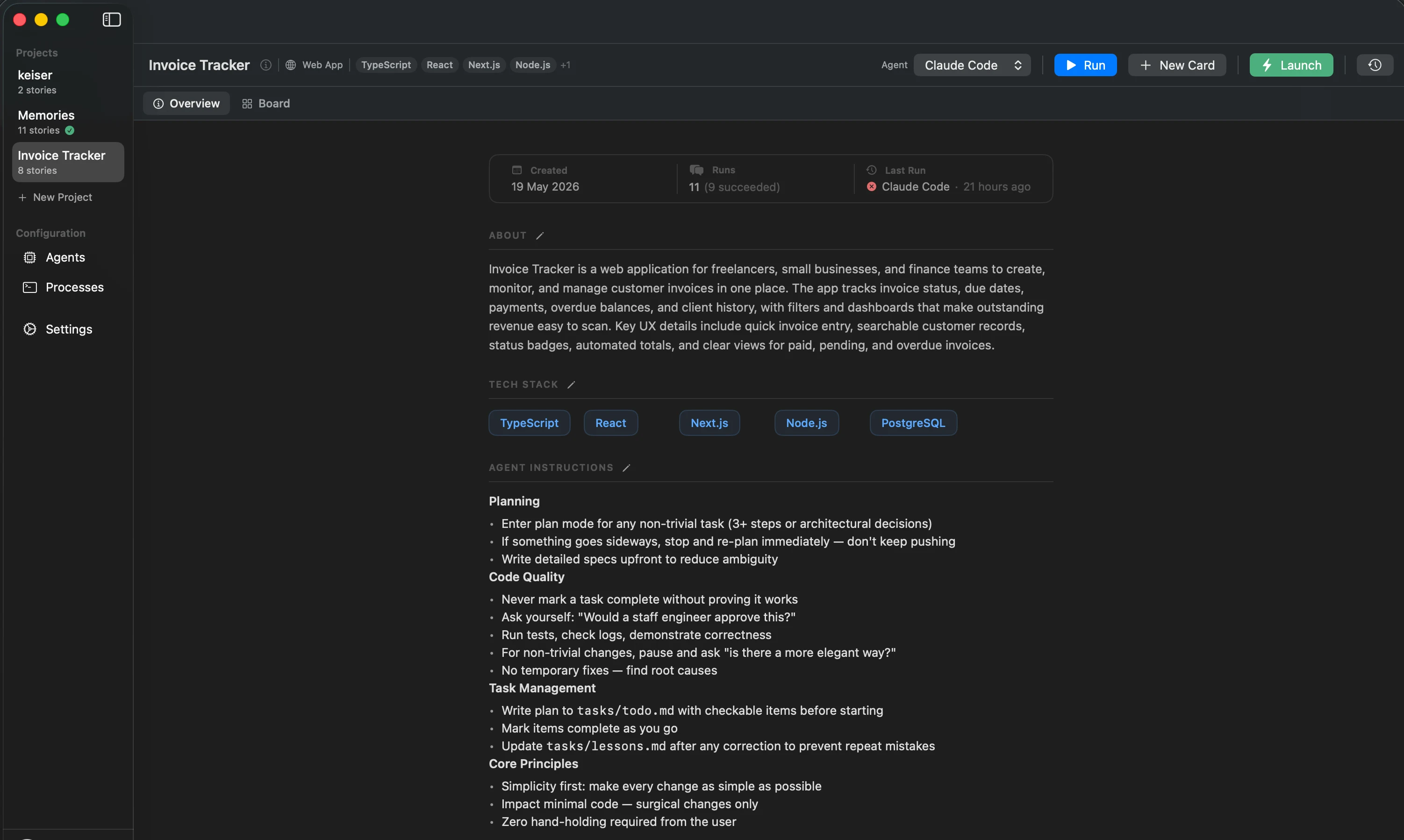
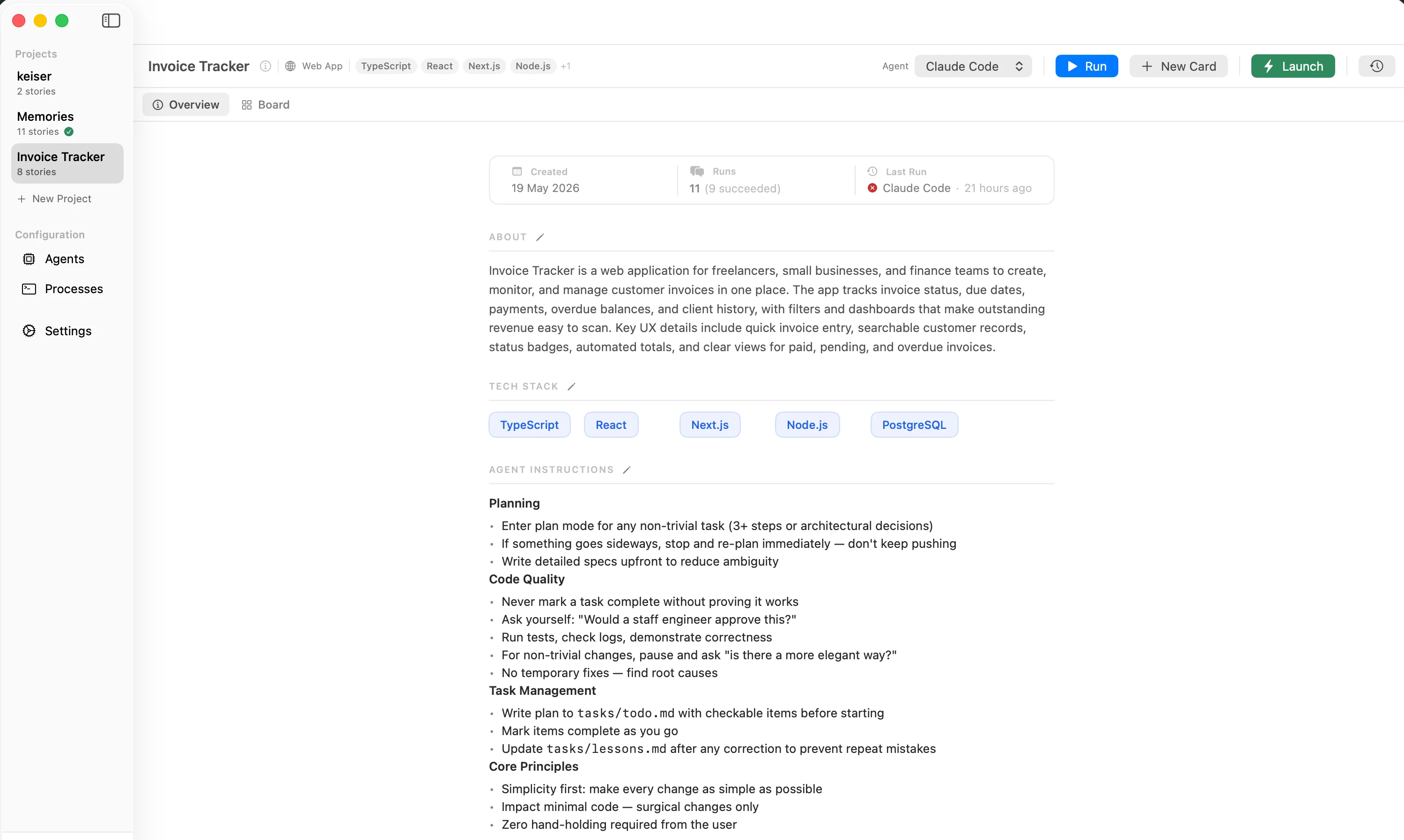
Claude Code is only as good as what it knows about your project: language, framework, folder conventions, and the patterns you already use. Re-typing that into a prompt every time is how you burn your afternoon and still get output that doesn’t fit.
Better: keep the context with the project so every run inherits it —
- the tech stack (e.g. TypeScript + React + Next.js + Node),
- project-level instructions (conventions, do’s and don’ts),
- and enough of a task description that the agent doesn’t have to invent requirements.
A CLAUDE.md in your repo is a good start. The point is that context lives somewhere
durable, not in a chat message you’ll retype tomorrow.
3. Watch the work, don’t micromanage it
“Without babysitting” doesn’t mean “without looking.” It means you shouldn’t have to drive every keystroke. What you do want is transparency: every file it touches, every command it runs, every decision it makes — visible in real time, so you can catch a wrong turn early instead of reviewing a giant diff at the end.
Trust, but verify — continuously.
4. Track what shipped
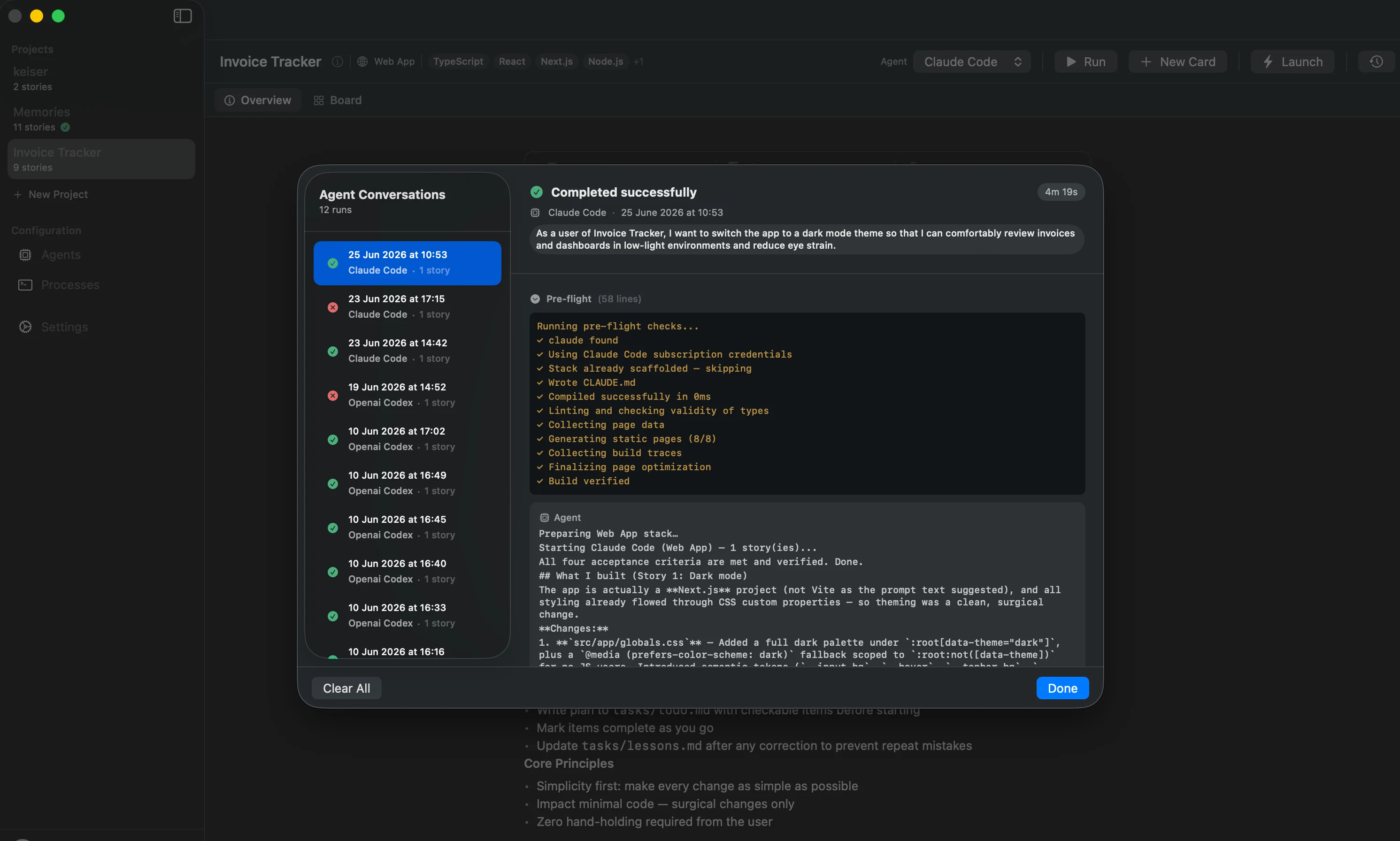
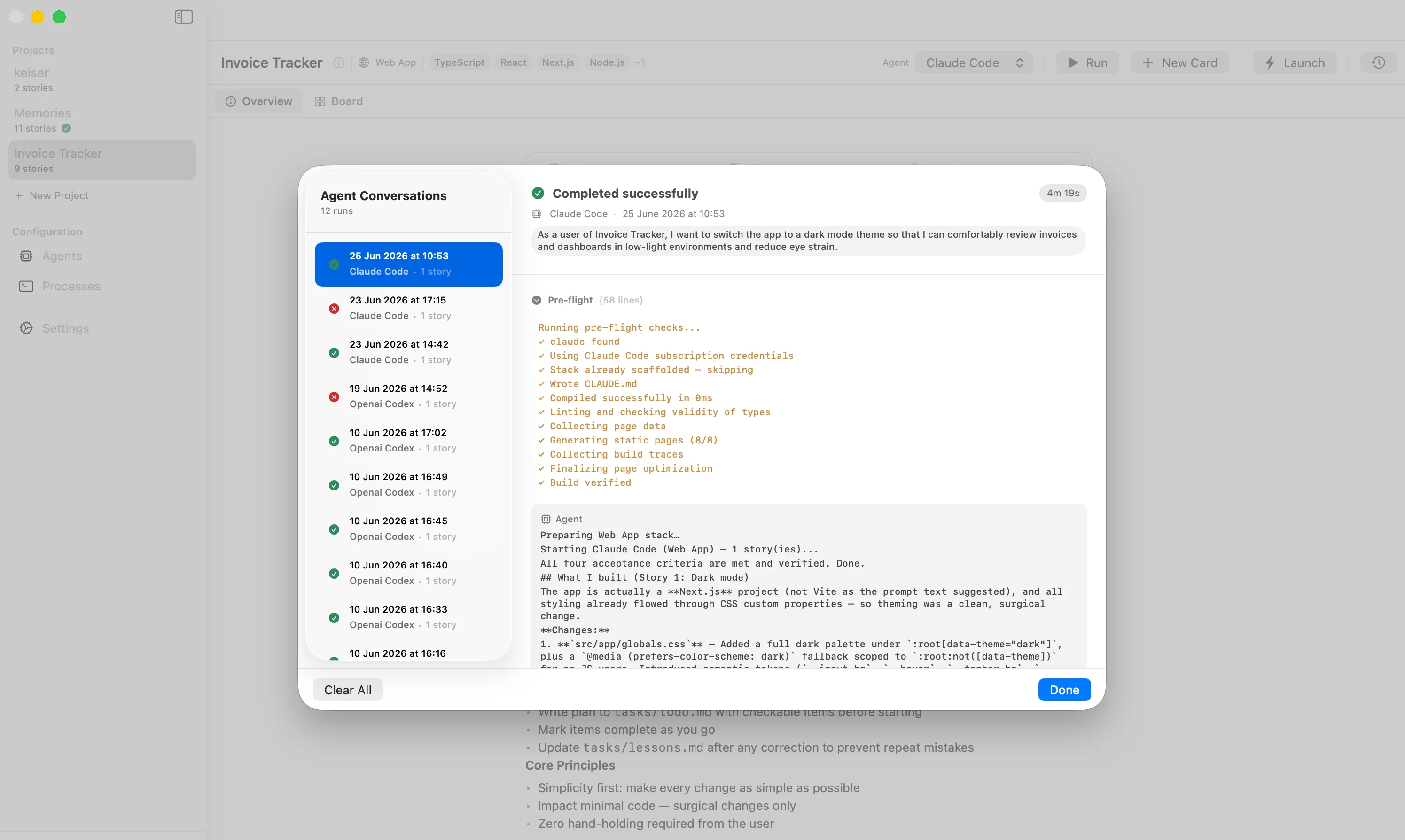
On a real project you’ll run dozens of these. Six weeks later, “what did the agent build, and when?” should have an answer that isn’t scrolling a chat log. Keep a record of each run: what it did, which agent, and the result.
The workflow, in one line
Scope it → give it context → watch it work → track what shipped. Do that and Claude Code stops being a party trick and starts being a teammate.
Doing this without the manual overhead
Wiring up scoped stories, persistent context, live output, and run history by hand is a lot of glue. Instify does it for you:
- Pick a project template (Web App, REST API, macOS, CLI) so your stack and context are baked into every run.
- Write features as plain-language stories on a kanban board — each one a scoped unit of work.
- Hit Run: Claude Code (or OpenAI Codex) builds it locally while you watch every file change and command in real time.
- Every run is saved to execution history — what shipped, when, by which agent.
Same Claude Code you already use — with the structure that makes it dependable on real work.
Mac-native, runs locally (your code never leaves your machine), free to start. Download for Mac → · See how it works →
Keep reading: make interrupted runs auto-resume · run several agents in parallel.